Vector{Float64} === Array{Float64,1} && Matrix{Float64} === Array{Float64,2}trueWe now turn to containers important for numerical computing:
Vector{T}Matrix{T} with two indicesArray{T,N}In fact, Vector{T} is an alias for Array{T,1} and Matrix{T} is an alias for Array{T,2}.
Vector{Float64} === Array{Float64,1} && Matrix{Float64} === Array{Float64,2}trueWhen created from an explicit element list, Julia determines the greatest common type for the type parameter T.
v = [33, "33", 1.2]3-element Vector{Any}:
33
"33"
1.2If T is a numeric type, the elements are converted to this type.
v = [3//7, 4, 2im]3-element Vector{Complex{Rational{Int64}}}:
3//7 + 0//1*im
4//1 + 0//1*im
0//1 + 2//1*imThe following functions provide information about an array:
length(A) — number of elementseltype(A) — type of elementsndims(A) — number of dimensions (indices)size(A) — tuple with the dimensions of the arrayv1 = [12, 13, 15]
m1 = [ 1 2.5
6 -3 ]
for f ∈ (length, eltype, ndims, size)
println("$(f)(v) = $(f(v)), $(f)(m1) = $(f(m1))")
endlength(v) = 3, length(m1) = 4
eltype(v) = Complex{Rational{Int64}}, eltype(m1) = Float64
ndims(v) = 1, ndims(m1) = 2
size(v) = (3,), size(m1) = (2, 2)v[i] can be calculated directly from i.Array{T,N} (including vectors and matrices) is implemented this way for standard numeric types T. Elements are stored unboxed. In contrast, Vector{Any} is implemented as a list of object addresses (boxed), not as a list of the objects themselves.Array{T,N} stores its elements directly (unboxed), when isbitstype(T) == true.isbitstype(Float64),
isbitstype(Complex{Rational{Int64}}),
isbitstype(String)(true, true, false)push!(vector, items...) — appends elements to the endpushfirst!(vector, items...) — prepends elements to the beginningpop!(vector) — removes and returns the last elementpopfirst!(vector) — removes and returns the first elementv = Float64[] # empty Vector{Float64}
push!(v, 3, 7)
pushfirst!(v, 1)
a = pop!(v)
println("a= $a")
push!(v, 17)a= 7.0
3-element Vector{Float64}:
1.0
3.0
17.0A push!() operation can be expensive, as it may require allocating new memory and copying the existing vector. Julia optimizes memory by preallocating space, so subsequent push! operations are very fast, almost achieving O(1) speed.
Avoid push!() or resize() in time-critical code with very large arrays.
You can create uninitialized vectors of a given length and type. This is the fastest method; elements contain random bit patterns.
# Uninitialized vector of length 1000

v = Vector{Float64}(undef, 1000)
v[345]1.894679065e-315zeros(n) creates a Vector{Float64} of length n, initialized with zeros.v = zeros(7)7-element Vector{Float64}:
0.0
0.0
0.0
0.0
0.0
0.0
0.0zeros(T,n) creates a zero vector of type T:v=zeros(Int, 4)4-element Vector{Int64}:
0
0
0
0fill(x, n) creates a Vector{typeof(x)} of length n, filled with x:v = fill(sqrt(2), 5)5-element Vector{Float64}:
1.4142135623730951
1.4142135623730951
1.4142135623730951
1.4142135623730951
1.4142135623730951similar(v) creates an uninitialized vector of the same type and size as v:w = similar(v)5-element Vector{Float64}:
0.0
0.0
0.0
0.0
0.0Implicit for loops provide another method to create vectors.
v4 = [i for i in 1.0:8]8-element Vector{Float64}:
1.0
2.0
3.0
4.0
5.0
6.0
7.0
8.0v5 = [log(i^2) for i in 1:4 ]4-element Vector{Float64}:
0.0
1.3862943611198906
2.1972245773362196
2.772588722239781You can even include an if clause.
v6 = [i^2 for i in 1:8 if i%3 != 2]5-element Vector{Int64}:
1
9
16
36
49Besides Vector{Bool}, Julia provides the BitVector data type (and more generally BitArray) for storing boolean arrays.
While a Bool uses one byte, BitVector stores values bit by bit.
The constructor converts a Vector{Bool} to a BitVector:
vb = BitVector([true, false, true, true])4-element BitVector:
1
0
1
1Use collect() for the reverse conversion:
collect(vb)4-element Vector{Bool}:
1
0
1
1Bit vectors are produced, for example, by element-wise comparisons (see Section 12.7):
v4 .> 3.58-element BitVector:
0
0
0
1
1
1
1
1Indices are ordinal numbers, so indexing starts at 1.
Valid indices include:
Using indices, we can read and write array elements/parts.
v = [ 3i + 5.2 for i in 1:8]8-element Vector{Float64}:
8.2
11.2
14.2
17.2
20.2
23.2
26.2
29.2v[5]20.2In assignments, the right side is converted to the vector element type with convert(T,x) if necessary.
v[6] = 9999
v
8-element Vector{Float64}:
8.2
11.2
14.2
17.2
20.2
9999.0
26.2
29.2Exceeding index limits throws a BoundsError.
v[77]BoundsError: attempt to access 8-element Vector{Float64} at index [77]
Stacktrace:
[1] throw_boundserror(A::Vector{Float64}, I::Tuple{Int64})
@ Base ./essentials.jl:15
[2] getindex(A::Vector{Float64}, i::Int64)
@ Base ./essentials.jl:919
[3] top-level scope
@ ~/Julia/Book26/JuliaBook/chapters/7_ArraysP2.qmd:227
Error showing value of type BoundsError
StackOverflowError:
Stacktrace:
[1] show(io::IOContext{IOBuffer}, x::BoundsError) (repeats 79983 times)
@ Main.Notebook ~/Julia/Book26/JuliaBook/chapters/7_ArraysP2.qmd:24A range object can be used to address a subvector.
vp = v[3:5]
vp
3-element Vector{Float64}:
14.2
17.2
20.2vp = v[1:2:7] # range with step size
vp4-element Vector{Float64}:
8.2
14.2
20.2
26.2end can be used in a range.: can be used as an abbreviation for 1:end. This is useful for matrices: A[:, 3] addresses the entire 3rd column of A.v[6:end] = [7, 7, 7]
v8-element Vector{Float64}:
8.2
11.2
14.2
17.2
20.2
7.0
7.0
7.0Indirect indexing with a vector of integers follows the formula
\(v[ [i_1,\ i_2,\ i_3,...]] = [\ v[i_1],\ v[i_2],\ v[i_3],...]\)
v[ [1, 3, 4] ]3-element Vector{Float64}:
8.2
14.2
17.2which is the same as
[ v[1], v[3], v[4] ]3-element Vector{Float64}:
8.2
14.2
17.2You can also use a Vector{Bool} or BitVector (see Section 12.2.4) of the same length as an index.
v[ [true, true, false, false, true, false, true, true] ]5-element Vector{Float64}:
8.2
11.2
20.2
7.0
7.0This is useful for:
BitVector, andBitVectors with bitwise operators & and |.v[ (v .> 13) .& (v.<20) ]2-element Vector{Float64}:
14.2
17.2Most methods for vectors also apply to higher-dimensional arrays.
One can create them uninitialized:
A = Array{Float64,3}(undef, 6,9,3)6×9×3 Array{Float64, 3}:
[:, :, 1] =
NaN 1.5e-323 3.0e-323 4.4e-323 … 9.0e-323 1.04e-322 1.2e-322
5.0e-324 1.5e-323 3.0e-323 4.4e-323 9.0e-323 1.04e-322 1.2e-322
5.0e-324 2.0e-323 3.5e-323 5.0e-323 9.4e-323 1.1e-322 1.24e-322
5.0e-324 2.0e-323 3.5e-323 5.0e-323 9.4e-323 1.1e-322 1.24e-322
1.0e-323 2.5e-323 4.0e-323 5.4e-323 1.0e-322 1.14e-322 1.3e-322
1.0e-323 2.5e-323 4.0e-323 5.4e-323 … 1.0e-322 1.14e-322 1.3e-322
[:, :, 2] =
1.33e-322 1.5e-322 1.63e-322 … 2.2e-322 2.37e-322 2.5e-322
1.33e-322 1.5e-322 1.63e-322 2.2e-322 2.37e-322 2.5e-322
1.4e-322 1.53e-322 1.0e-323 2.27e-322 5.0e-324 2.57e-322
1.4e-322 1.53e-322 1.0e-323 2.27e-322 5.0e-324 2.57e-322
1.43e-322 1.6e-322 1.73e-322 2.27e-322 2.47e-322 2.6e-322
1.43e-322 1.6e-322 1.73e-322 … 2.27e-322 2.47e-322 2.6e-322
[:, :, 3] =
2.67e-322 2.8e-322 2.96e-322 … 3.56e-322 3.56e-322 3.1e-322
2.67e-322 2.8e-322 2.96e-322 3.56e-322 3.56e-322 3.1e-322
2.7e-322 2.87e-322 3.0e-322 3.56e-322 3.75e-322 3.0e-322
2.7e-322 2.87e-322 3.0e-322 3.56e-322 3.56e-322 3.0e-322
2.77e-322 2.9e-322 3.06e-322 3.56e-322 3.75e-322 0.0
2.77e-322 2.9e-322 3.06e-322 … 3.56e-322 3.56e-322 0.0In most functions, the dimensions can also be passed as a tuple; the above can be written as:
A = Array{Float64, 3}(undef, (6,9,3)) Functions like zeros() etc. also work.
m2 = zeros(3, 4, 2) # or zeros((3,4,2))3×4×2 Array{Float64, 3}:
[:, :, 1] =
0.0 0.0 0.0 0.0
0.0 0.0 0.0 0.0
0.0 0.0 0.0 0.0
[:, :, 2] =
0.0 0.0 0.0 0.0
0.0 0.0 0.0 0.0
0.0 0.0 0.0 0.0M = fill(5 , (3, 3)) # or fill(5, 3, 3)3×3 Matrix{Int64}:
5 5 5
5 5 5
5 5 5The function similar(), which creates an uninitialized array of the same size, can also take a type as a further argument.
M2 = similar(M, Float64)3×3 Matrix{Float64}:
3.177e-321 6.91415e-310 6.91414e-310
NaN 6.91415e-310 3.177e-321
6.9141e-310 5.0e-324 NaNWhile vectors are written in square brackets separated by commas, the notation for higher-dimensional objects is somewhat different.
M2 = [2  3  -1
      4  5  -2]
2×3 Matrix{Int64}:
2 3 -1
4 5 -2M2 = [2 3 -1; 4 5 -2]2×3 Matrix{Int64}:
2 3 -1
4 5 -2M3 = [2 3 -1
4 5 6 ;;;
7 8 9
11 12 13]2×3×2 Array{Int64, 3}:
[:, :, 1] =
2 3 -1
4 5 6
[:, :, 2] =
7 8 9
11 12 13M2:M2 = [2;4;; 3;5;; -1;-2]2×3 Matrix{Int64}:
2 3 -1
4 5 -2Here, the following rules apply:
; increases the 1st index.;; increase the 2nd index.;;; increase the 3rd index etc.In the previous examples, the following syntactic enhancement (syntactic sugar) was applied:
v1 = [2,3,4]3-element Vector{Int64}:
2
3
4v2 = [2;3;4]3-element Vector{Int64}:
2
3
4v3 = [2 3 4]1×3 Matrix{Int64}:
2 3 4v3 = [2;3;4;;]3×1 Matrix{Int64}:
2
3
4One can of course also construct a “vector of vectors” in the C/C++ style.
v = [[2,3,4], [5,6,7,8]]2-element Vector{Vector{Int64}}:
[2, 3, 4]
[5, 6, 7, 8]v[2][3]7You should only do this in special cases. The array notation in Julia is usually more convenient and faster.
# 6x6 matrix with random numbers uniformly distributed from [0,1) ∈ Float64
A = rand(6,6)
6×6 Matrix{Float64}:
0.463067 0.672554 0.56387 0.470856 0.958354 0.155192
0.998119 0.771962 0.79258 0.183362 0.0200682 0.773312
0.956628 0.258465 0.774233 0.768411 0.602852 0.0863743
0.211162 0.650677 0.286221 0.401343 0.482077 0.179016
0.539544 0.39127 0.356355 0.36664 0.315264 0.646141
0.189131 0.864078 0.41988 0.806717 0.0303571 0.794074The usual index notation:
A[2, 3] = 77.77777
A
6×6 Matrix{Float64}:
0.463067 0.672554 0.56387 0.470856 0.958354 0.155192
0.998119 0.771962 77.7778 0.183362 0.0200682 0.773312
0.956628 0.258465 0.774233 0.768411 0.602852 0.0863743
0.211162 0.650677 0.286221 0.401343 0.482077 0.179016
0.539544 0.39127 0.356355 0.36664 0.315264 0.646141
0.189131 0.864078 0.41988 0.806717 0.0303571 0.794074You can use ranges to address subarrays:
B = A[1:2, 1:3]2×3 Matrix{Float64}:
0.463067 0.672554 0.56387
0.998119 0.771962 77.7778Addressing parts with lower dimension is also called slicing.
# the 3rd column as a vector (slicing)

C = A[:, 3]
6-element Vector{Float64}:
0.5638695116046222
77.77777
0.774232845981998
0.2862211990082818
0.35635508273885474
0.41988037076788776# the 3rd row as a vector (slicing)
E = A[3, :]6-element Vector{Float64}:
0.9566275711275898
0.2584648669445483
0.774232845981998
0.7684109261091199
0.6028521581317805
0.0863743232119617Slicing can also used on the right hand side for assignments:
# You can also assign to slices and subarrays

A[2, :] = [1,2,3,4,5,6]
A
6×6 Matrix{Float64}:
0.463067 0.672554 0.56387 0.470856 0.958354 0.155192
1.0 2.0 3.0 4.0 5.0 6.0
0.956628 0.258465 0.774233 0.768411 0.602852 0.0863743
0.211162 0.650677 0.286221 0.401343 0.482077 0.179016
0.539544 0.39127 0.356355 0.36664 0.315264 0.646141
0.189131 0.864078 0.41988 0.806717 0.0303571 0.794074copy() and deepcopy(), ViewsA = [1, 2, 3]
B = A3-element Vector{Int64}:
1
2
3A and B are now names of the same object.
A[1] = 77
@show B;
B = [77, 2, 3]B[3] = 300
@show A;A = [77, 2, 300]This behavior saves a lot of time and memory, but is not always desired. The function copy() creates a true copy of the object.
A = [1, 2, 3]
B = copy(A)
A[1] = 100
@show A B;
A = [100, 2, 3]
B = [1, 2, 3]The function deepcopy(A) copies recursively. It also creates copies of the elements that A contains.
As long as an array only contains primitive objects (numbers), copy() and deepcopy() are equivalent.
The following example shows the difference between copy() and deepcopy().
mutable struct Person
    name :: String
    age  :: Int
end

A = [Person("Meier", 20), Person("Müller", 21), Person("Schmidt", 23)]
B = A
C = copy(A)
D = deepcopy(A)
3-element Vector{Person}:
Person(Meier, 20)
Person(Müller, 21)
Person(Schmidt, 23)A[1] = Person("Mustermann", 83)
A[3].age = 199
@show B C D;B = Main.Notebook.Person[Person(Mustermann, 83), Person(Müller, 21), Person(Schmidt, 199)]
C = Main.Notebook.Person[Person(Meier, 20), Person(Müller, 21), Person(Schmidt, 199)]
D = Main.Notebook.Person[Person(Meier, 20), Person(Müller, 21), Person(Schmidt, 23)]When one assigns a piece of an array to a variable using indices/ranges/slices, Julia constructs a new object.
A = [1  2  3
     3  4  5]

v = A[:, 2]
@show  v

A[1, 2] = 77
@show  A  v;
v = [2, 4]
A = [1 77 3; 3 4 5]
v = [2, 4]Sometimes, however, one wants reference semantics in the sense of: “Vector v should be the 2nd column vector of A and should also remain so (i.e., change if A changes).”
This is called a view in Julia: We want the variable v to represent only an ‘alternative view’ of the matrix A.
It can be achieved with the @view macro:
A = [1 2 3
     3 4 5]

v = @view A[:,2]
@show  v

A[1, 2] = 77
@show  v;
v = [2, 4]
v = [77, 4]Julia uses this technique for efficiency reasons also in some functions of linear algebra. An example is the operator ', which delivers the adjoint matrix A' to a matrix A.
A' is the transposed and element-wise complex-conjugated matrix to A.adjoint(A).adjoint() as a lazy function, i.e., for efficiency reasons no new object is constructed. The method provides an alternative ‘view’ of the matrix (with swapped indices) and an alternative ‘view’ of the entries (with sign change in the imaginary part).A = [ 1. 2.
3. 4.]
B = A'2×2 adjoint(::Matrix{Float64}) with eltype Float64:
1.0 3.0
2.0 4.0The matrix B is just a modified ‘view’ of A:
A[1, 2] =10
B
2×2 adjoint(::Matrix{Float64}) with eltype Float64:
1.0 3.0
10.0 4.0From vectors, adjoint() makes a \(1\times n\)-matrix (a row vector).
v = [1, 2, 3]
v'
1×3 adjoint(::Vector{Int64}) with eltype Int64:
1 2 3Another such function, which provides an alternative ‘view’, a different indexing of the same data is reshape().
Here, a vector with 12 entries is transformed into a 3x4 matrix:
A = [1,2,3,4,5,6,7,8,9,10,11,12]

B = reshape(A, 3, 4)
3×4 Matrix{Int64}:
1 4 7 10
2 5 8 11
3 6 9 12This information is important to iterate efficiently over matrices:
function column_major_add(A, B)
    (n,m) = size(A)
    for j = 1:m
        for i = 1:n     # inner loop traverses a column
            A[i,j] += B[i,j]
        end
    end
end

function row_major_add(A, B)
    (n,m) = size(A)
    for i = 1:n
        for j = 1:m     # inner loop traverses a row
            A[i,j] += B[i,j]
        end
    end
end
row_major_add (generic function with 1 method)A = rand(10000, 10000);
B = rand(10000, 10000);using BenchmarkTools
@benchmark row_major_add($A, $B)BenchmarkTools.Trial: 6 samples with 1 evaluation per sample.
Range (min … max): 905.524 ms … 985.877 ms ┊ GC (min … max): 0.00% … 0.00%
Time (median): 979.043 ms ┊ GC (median): 0.00%
Time (mean ± σ): 956.631 ms ± 39.531 ms ┊ GC (mean ± σ): 0.00% ± 0.00%
█ ▁ ▁ ▁▁
█▁▁▁▁▁▁▁▁▁▁▁▁▁▁▁▁▁▁▁▁▁▁▁▁▁▁▁▁▁▁▁▁▁▁▁▁▁▁▁▁▁▁▁▁▁▁▁▁▁▁▁▁▁█▁▁█▁██ ▁
906 ms Histogram: frequency by time 986 ms <
Memory estimate: 0 bytes, allocs estimate: 0.@benchmark column_major_add($A, $B)BenchmarkTools.Trial: 74 samples with 1 evaluation per sample.
Range (min … max): 67.467 ms … 76.844 ms ┊ GC (min … max): 0.00% … 0.00%
Time (median): 67.967 ms ┊ GC (median): 0.00%
Time (mean ± σ): 68.172 ms ± 1.087 ms ┊ GC (mean ± σ): 0.00% ± 0.00%
▂ ▁ ▁ █
▃▁▁▁▁▁▃█▆▄█▆███▁█▆█▄▃▃▁▁▁▃▁▃▁▃▃▁▁▁▁▁▁▁▃▁▁▁▃▁▄▁▁▁▁▁▁▁▃▁▁▁▁▁▃ ▁
67.5 ms Histogram: frequency by time 69.5 ms <
Memory estimate: 0 bytes, allocs estimate: 0.We have observed that the order of inner and outer loops significantly affects computational efficiency:
It is more efficient when the innermost loop iterates over the left index, i.e., a column rather than a row. This is due to the architecture of modern processors.
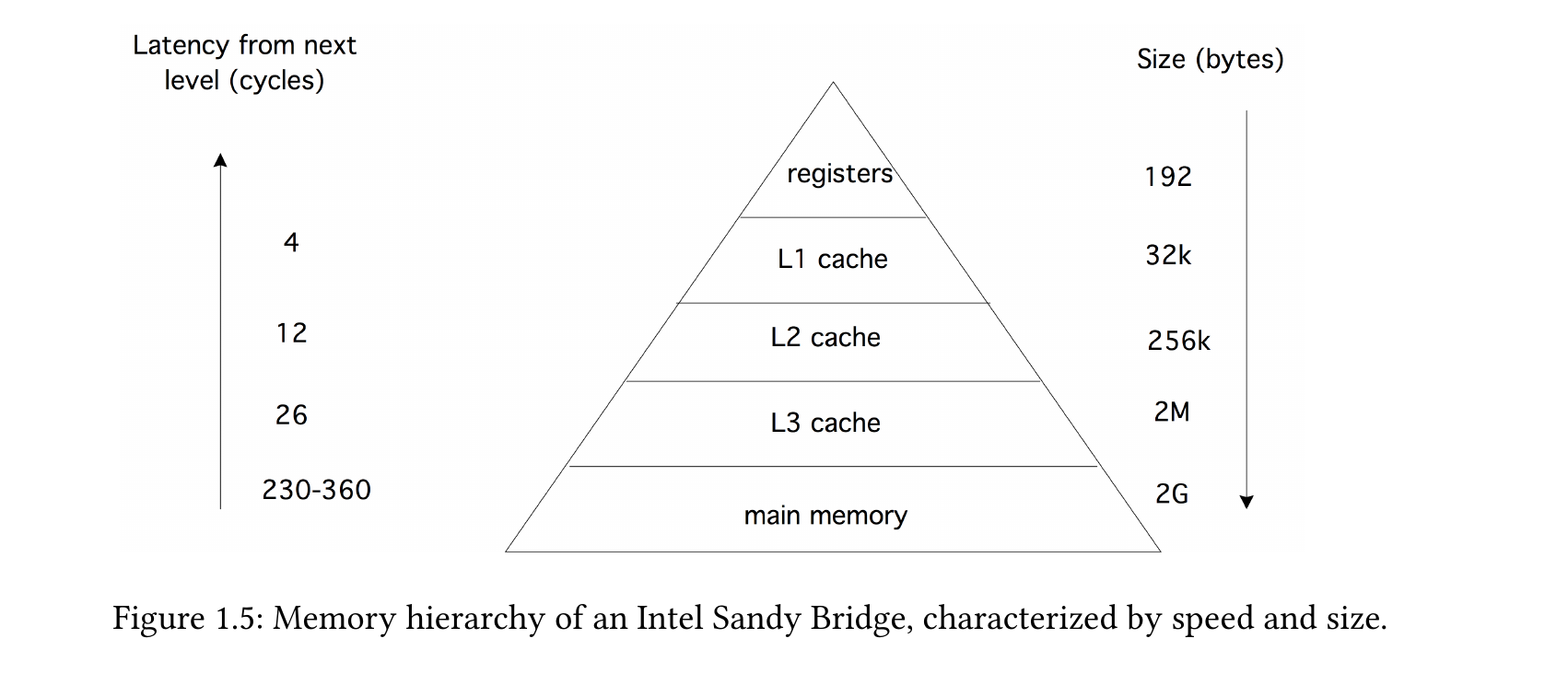
Arrays of the same dimension (e.g., all \(7\times3\)-matrices) form a linear space.
0.5 * [2, 3, 4, 5]4-element Vector{Float64}:
1.0
1.5
2.0
2.50.5 * [ 1 3
2 7] - [ 2 3; 1 2]2×2 Matrix{Float64}:
-1.5 -1.5
0.0 1.5The matrix product is defined for
| 1st factor | 2nd factor | Product |
|---|---|---|
| \((n\times m)\)-matrix | \((m\times k)\)-matrix | \((n\times k)\)-matrix |
| \((n\times m)\)-matrix | \(m\)-vector | \(n\)-vector |
| \((1\times m)\)-row vector | \((m\times n)\)-matrix | \(n\)-vector |
| \((1\times m)\)-row vector | \(m\)-vector | scalar product |
| \(m\)-vector | \((1\times n)\)-row vector | \((m\times n)\)-matrix |
Examples:
A = [1 2 3
     4 5 6]
v = [2, 3]
w = [1, 3, 4];* (3,2)-matrixA * A'2×2 Matrix{Int64}:
14 32
32 77* (2,3)-matrixA' * A3×3 Matrix{Int64}:
17 22 27
22 29 36
27 36 45* 3-vectorA * w2-element Vector{Int64}:
19
43* (2,3)-matrixv' * A1×3 adjoint(::Vector{Int64}) with eltype Int64:
14 19 24* 2-vectorA' * v3-element Vector{Int64}:
14
19
24* 2-vector (scalar product)v' * v132-vector * (1,3)-vector (outer product)
v * w'2×3 Matrix{Int64}:
2 6 8
3 9 12f.(x,y) into broadcast(f, x, y), and similarly, x .⊙ y into broadcast(⊙, x, y)..=, .+=, etc., alter the semantics by modifying values directly within the left-side object (which must have the appropriate dimensions) without creating a new object.Some examples:
sin.([1, 2, 3])3-element Vector{Float64}:
0.8414709848078965
0.9092974268256817
0.1411200080598672A = [8 2
3 4]
sqrt.(A)2×2 Matrix{Float64}:
2.82843 1.41421
1.73205 2.0A.^22×2 Matrix{Int64}:
64 4
9 16@show A^2 A^(1/2);A ^ 2 = [70 24; 36 22]
A ^ (1 / 2) = [2.780234855920959 0.42449510866609885; 0.6367426629991483 1.9312446385887614]hyp(a,b) = sqrt(a^2+b^2)
B = [3 4
5 7]
hyp.(A, B)2×2 Matrix{Float64}:
8.544 4.47214
5.83095 8.06226When operands possess differing dimensions, the operand with fewer dimensions is effectively expanded through replication along those dimensions.
Adding a scalar to a matrix:
A = [ 1 2 3
      4 5 6]
2×3 Matrix{Int64}:
1 2 3
4 5 6A .+ 3002×3 Matrix{Int64}:
301 302 303
304 305 306The scalar was replicated to match the matrix dimensions. Let broadcast() illustrate the form of the second operand after broadcasting:
broadcast( (x,y) -> y, A, 300)(This replication occurs solely in a virtual sense; the object is not actually instantiated in memory.)
A .+ [10, 20]2×3 Matrix{Int64}:
11 12 13
24 25 26The vector is expanded by repeating columns:
broadcast((x,y)->y, A, [10,20])2×3 Matrix{Int64}:
10 10 10
20 20 20Matrix and row vector: The row vector is repeated row-wise:
A .* [1,2,3]' # adjoint vector2×3 Matrix{Int64}:
1 4 9
4 10 18The 2nd operand is grown by broadcast() through replication of rows.
broadcast((x,y)->y, A, [1,2,3]')2×3 Matrix{Int64}:
1 2 3
1 2 3Assignments such as =, +=, /=,… in Julia involve constructing an object on the right-hand side and assigning it to a variable on the left-hand side.
When working with arrays, efficiency often requires reusing existing array objects. The values computed on the right-hand side are then stored directly into the pre-existing object on the left-hand side.
This is accomplished using broadcast variants of assignment operators: .=, .+=,….
A .= 32×3 Matrix{Int64}:
3 3 3
3 3 3A .+= [1, 4]2×3 Matrix{Int64}:
4 4 4
7 7 7Julia provides a large number of functions that work with arrays.
A = [22 -17 8 ; 4 6 9]2×3 Matrix{Int64}:
22 -17 8
4 6 9maximum(A)22maximum(A, dims=1)1×3 Matrix{Int64}:
22 6 9maximum(A, dims=2)2×1 Matrix{Int64}:
22
9amin, i = findmin(A)(-17, CartesianIndex(1, 2))CartesianIndex?dump(i)CartesianIndex{2}
I: Tuple{Int64, Int64}
1: Int64 1
2: Int64 2i.I(1, 2)sum(A), prod(A)(32, -646272)sum(A, dims=1)1×3 Matrix{Int64}:
26 -11 17sum(A, dims=2)2×1 Matrix{Int64}:
13
19sum(x->sqrt(abs(x)), A) # sum_ij sqrt(|a_ij|)19.09143825297046reduce(+, A) # equivalent to sum(A)32mapreduce(f, op, array): Apply f to all entries, then reduce with op
mapreduce(x -> x^2, +, A ) # Sum of the squares of all entries970any(x -> x>5, A)truecount(x-> x>5, A)4all(x-> x>0, A)false